
Hey guys, check out this new Adobe Illustrator tutorial for how to create a custom Glossy Brush in Adobe Illustrator. Apply this Custom Glossy Brush to your designs and logos to look creative and attractive with astonishing glossy effects. You’ll definitely gonna love this Custom Glossy Brush guide because of its simplicity and creativity. Must watch this easy to understand and easy to follow Adobe Illustrator Custom Glossy Brush Tutorial and improve your design skills. You can also download the source vector AI file with custom Glossy Brush ready to use for your designs.
Grab this freebie now and feel free to use and share it. Also don’t forget to check out our design shop for more great resources. Subscribe to our YouTube Channel to get more amazing stuffs and useful information.
Suggested Pro Downloads
-

Automotive Logo PSD Mockup
$2.99 Add to cart -

Femme Aesthetics – Beauty, Spa & Wellness Logo Template (Vector)
Price range: $29.00 through $125.00 Select options This product has multiple variants. The options may be chosen on the product page -
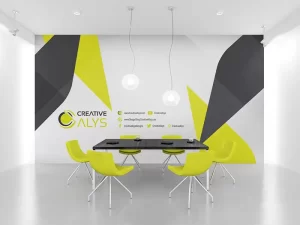
Corporate Wall Design
$9.99 Add to cart -

Logistics Company Logo Design
$3.99 Add to cart
Latest from @CreativeAlys YouTube Channel

70s Bubbly 3D Typography Tutorial | Adobe Illustrator

Flat 2D to 3D Stone Wall in Seconds! ⚡ #shorts #photoshop

How to Use 3D Stone Wall Logo Mockup in Photoshop (in 18 Seconds!) | CreativeAlys

Free 3D Stone Wall Logo Mockup PSD Tutorial | How to Edit & Customize in Photoshop

How to Display Latest YouTube Videos in WordPress (Free, Fast & No API Limits)


