Is your Photoshop project file taking forever to save or open because it’s too large? In this quick and powerful Photoshop tutorial, discover a simple yet effective trick to drastically reduce your PSD file size — from gigabytes to megabytes — without losing quality or damaging your layers.
This method works for all versions of Photoshop and helps speed up your workflow by optimizing file storage. Perfect for designers, editors, and creatives who work on high-resolution projects.
Watch the full video above to learn this easy file optimization technique and make your PSDs faster and lighter instantly.
By applying this quick Photoshop trick, you can keep your projects clean, efficient, and easier to share or back up. Say goodbye to huge PSDs and enjoy smoother performance while working on your creative projects.
Check out our graphic design freebies section for absolutely free access to valuable design assets that you can use and share in your projects. Browse our premium downloads if you’re looking for even more great and professional resources to enhance your work.
We have many fascinating videos and expert tips coming your way, so don’t miss out on any of the great content by visiting our YouTube Channel. Subscribe now and join our community of passionate learners and creators!
Credits:
Design by CreativeAlys – Don’t forget to share your creations with #CreativeAlys!
You May Like

How to Remove Background in Photoshop (Step-by-Step Beginner Guide)
Removing backgrounds in Photoshop is one of the most useful skills every designer, photographer, and content creator should learn. Whether...
Suggested Pro Downloads
-

Femme Aesthetics – Beauty, Spa & Wellness Logo Template (Vector)
Price range: $29.00 through $125.00 Select options This product has multiple variants. The options may be chosen on the product page -
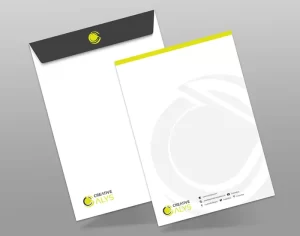
C4 Envelope Mockup
$4.99 Add to cart -
Woman Working on Laptop in Cozy Home Office Vector Illustration
$5.99 Add to cart -
Community Connection Logo Design Template
$5.99 Add to cart