
This video tutorial will tell you all about the Repeat Tool’s features in Adobe Illustrator. We’ll work on all the options for Radial, Grid, and Mirror including their in-depth features and how to release and expand the objects. You can create extensive shapes, logos, and objects using the Repeat Tool in Adobe Illustrator. So don’t miss out on becoming a master of Adobe Illustrator’s Repeat Tool.
Suggested Pro Downloads
-
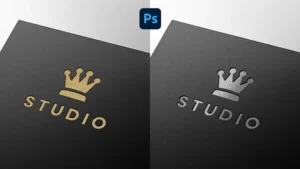
Luxury Metallic Foil Logo Mockup Bundle (Gold & Silver)
$12.00 Add to cart -
Ascend Solutions – Abstract Hexagon Arrow Logo Template (Vector)
Price range: $29.00 through $120.00 Select options This product has multiple variants. The options may be chosen on the product page -
Sale!
Premium Gold Embossed Logo Mockup on Black Paper
Original price was: $10.00.$7.99Current price is: $7.99. Add to cart -
Black Paper Pressed PSD Logo Mockup
$7.99 Add to cart





Leave a Comment