
This video tutorial will tell you all about the Repeat Tool’s features in Adobe Illustrator. We’ll work on all the options for Radial, Grid, and Mirror including their in-depth features and how to release and expand the objects. You can create extensive shapes, logos, and objects using the Repeat Tool in Adobe Illustrator. So don’t miss out on becoming a master of Adobe Illustrator’s Repeat Tool.




You may also like
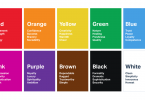
The Psychology of Color in Logo Design
Floral Design Elements
How to Create 3D Glossy Logo in Adobe Illustrator | Easy Tutorial

How to Fade and Feather Edges in Adobe Illustrator (Step-by-Step Guide)

Kafenia Vintage Font

3D Software Box Mockup
How to Pick Colors from Image In Illustrator

Illustrator Tutorial | How to Merge Images Seamlessly
How to Remove Image Background in Adobe Illustrator
Leave a Comment