

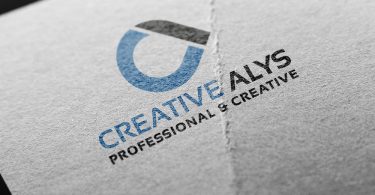
Elevate your branding projects with this free embossed business card logo mockup in PSD format. Designed with a rich, dark cardstock texture and subtle dimensional lighting, this template gives your logos, monograms, and typography a tactile, high-end raised finish.
Premium Tactile Finish for Modern Branding
Whether you are presenting an identity design to a client or building a standout Behance/Dribbble portfolio, presentation is everything. This mockup simulates a premium blind emboss and letterpress effect on heavy black paper.
The subtle surface reflections, bevel highlights, and accurate cast shadows adjust naturally around your artwork, making flat vector logos instantly look like finished luxury print work.
Mockup Features & Specifications
- File Format: Layered Adobe Photoshop PSD
- Smart Object Layer: Yes (Double-click, paste, and save)
- Effect Style: Realistic 3D blind emboss / raised cardstock
- Background Style: Textured dark luxury paper
- Resolution: High-Resolution 300 DPI (suitable for print and 4K displays)
- Compatibility: Adobe Photoshop CS6, CC, and newer
- License: Free for personal and commercial showcase use
Step-by-Step Tutorial: How to Apply Your Logo
Watch the walkthrough below to see how easy it is to customize this mockup in Photoshop and test multiple logo styles in minutes:
Quick Steps to Use This PSD:
- Open the downloaded
.psdfile in Adobe Photoshop. - Locate the layer named “Your Logo Here” or “Double Click to Edit”.
- Double-click the Smart Object thumbnail to open the work canvas.
- Paste your transparent vector logo, icon, or typography and hide the placeholder artwork.
- Press
Ctrl + S(orCmd + Son Mac) to save the Smart Object. - Return to the main document to see your realistic embossed logo instantly rendered.
Download Free Card Embossed Logo Mockup
Grab the high-resolution layered PSD file below and upgrade your client presentations today:
Frequently Asked Questions
Can I change the color of the card or the emboss highlight?
Yes. The PSD is organized into separate effect layers. You can adjust the layer blending options, inner shadows, and bevel highlights to increase or decrease the depth of the emboss effect.
Do I need Illustrator or Photoshop for this mockup?
The mockup file itself requires Adobe Photoshop. However, you can easily copy vector paths from Adobe Illustrator and paste them directly into the Photoshop Smart Object as a Smart Object or pixel layer.
Looking for more design assets? Explore our Graphic Design Freebies for free vectors, templates, and mockups. Subscribe to our YouTube Channel for regular Photoshop and Illustrator tips.
Suggested Pro Downloads
-

Automotive Logo PSD Mockup
$2.99 Add to cart -

Femme Aesthetics – Beauty, Spa & Wellness Logo Template (Vector)
Price range: $29.00 through $125.00 Select options This product has multiple variants. The options may be chosen on the product page -
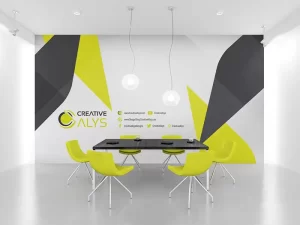
Corporate Wall Design
$9.99 Add to cart -

Logistics Company Logo Design
$3.99 Add to cart
Latest from @CreativeAlys YouTube Channel

70s Bubbly 3D Typography Tutorial | Adobe Illustrator

Flat 2D to 3D Stone Wall in Seconds! ⚡ #shorts #photoshop

How to Use 3D Stone Wall Logo Mockup in Photoshop (in 18 Seconds!) | CreativeAlys

Free 3D Stone Wall Logo Mockup PSD Tutorial | How to Edit & Customize in Photoshop

How to Display Latest YouTube Videos in WordPress (Free, Fast & No API Limits)


very good mockup
THANKS
GOOD
Thanks!