
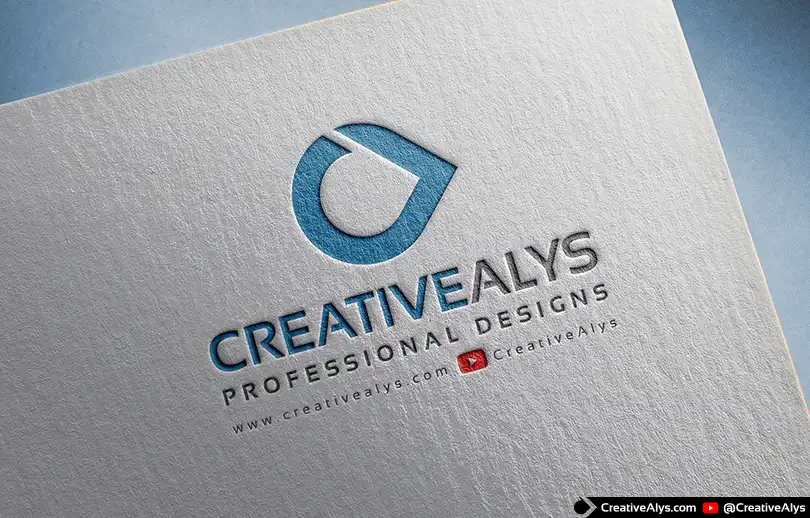
Presenting your brand identity professionally is key to leaving a lasting impression on your clients. A standard flat logo vector can sometimes feel static, but placing it in a realistic environment brings the design to life.
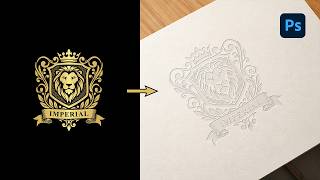
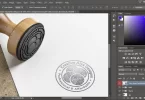
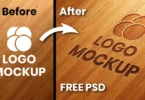
With this free Paper Pressed PSD Logo Mockup, you can showcase your creative logo designs, monograms, typography, or emblems in a realistic letterpress style. The template applies a clean, tactile debossed effect onto textured cardstock, making your presentation look premium and print-ready.
Why Use an Embossed Paper Logo Mockup?
When delivering logo concepts to clients, context is everything. Showing your artwork on a realistic paper texture helps clients visualize the physical application of their brand.
- Tactile realism: Mimics the look of traditional letterpress printing.
- Depth and texture: Adds realistic shadows and highlights to simulate a physical press.
- High conversion: Enhances portfolio displays and client presentations to help secure design approvals.
Key Features of this Free PSD Mockup
This mockup is optimized to be lightweight yet highly detailed. Here is what is included in the download:
- Easy Customization: Edit your artwork in seconds via Photoshop Smart Objects.
- High Resolution: Crisp details suitable for high-quality portfolio previews.
- Realistic Paper Texture: A textured cardstock background that enhances the organic feel of the press.
- Format: Fully layered PSD file with clearly organized layer folders.
- License: Free for personal use.
How to Customize the Paper Pressed Mockup in Photoshop
You do not need advanced Photoshop skills to use this file. Follow these simple steps to insert your own logo design:
- Download and Open: Download the ZIP file, extract it, and open the `.psd` file in Adobe Photoshop.
- Locate the Smart Object: Look at the Layers panel and find the smart object layer labeled “Your Logo Here” (or similar).
- Replace the Artwork: Double-click the thumbnail of the Smart Object layer. This opens a new window (`.psb`).
- Insert Your Design: Hide the placeholder logo, then drag and drop your own logo design (preferably a transparent PNG or vector shape) into this window.
- Save and Close: Save the Smart Object file (`Ctrl + S` on Windows or `Cmd + S` on Mac) and close the tab.
- View the Results: Go back to your main document to see your logo automatically updated with the realistic paper-pressed effect.
Watch the Video Tutorial
If you want to see how to use this specific pressed-style effect from scratch in Adobe Photoshop, watch our detailed video guide below. We walk you through setting up the layer styles, shadows, and textures step-by-step.
Frequently Asked Questions (FAQ)
What is a paper pressed logo mockup?
A paper pressed mockup is a digital Photoshop template that simulates the physical effect of debossing or letterpress printing on paper. It uses layered effects and textures to make flat logo designs appear physically pressed into cardstock.
Is this PSD mockup free to download?
Yes, this paper-pressed logo mockup is free for personal use. You can download the template directly from this page.
Can I change the color of the pressed logo?
Yes. You can double-click the Smart Object, apply a Color Overlay or change the color of your design layer inside the smart object window, save it, and the color will update automatically on the final mockup.
Do I need the latest version of Adobe Photoshop?
No, this template is designed to work with most standard versions of Adobe Photoshop that support Smart Objects and basic layer styles.
Credits:
Design by CreativeAlys – Don’t forget to share your creations with #CreativeAlys!
You May Like
Free Paper Pressed Logo Mockup (Realistic Emboss Effect)
Present your logo designs with a realistic and professional look using this free paper pressed logo mockup. Designed with careful...









link doesnt work
Cool
very useful mockup
thanks
You’re welcome!
thanks
amazing
nice
cool
Hello professional. Your design is really cool i want this but I cant download it can you please provide me this?
Great Mockup
Thanks!
Thanks dear! Download link is already given in the description of the post.
Just click on the button where it says Start Download and you’ll directed to the download page. Please let me know if problem persists.
thanks
You’re welcome!