
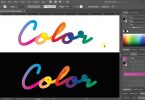
In this Adobe Illustrator tutorial, you will see how to add drop shadow effect or give depth to your texts, designs or objects. This method is quite simple and easy to understand and following this tip you’ll be able to add drop shadow of any style or color just within Illustrator.
Check out our design freebies and don’t forget to visit our design shop for more great design resources at unbeatable price. Subscribe to our YouTube Channel to get more amazing stuffs.
Suggested Pro Downloads
-

Consulting Company Logo
$2.99 Add to cart -
Sale!

Silver Embossed Logo Mockup PSD on Black Paper
Original price was: $10.00.$7.99Current price is: $7.99. Add to cart -

Automotive Business Logo
$5.99 Add to cart -

Global Line Logistics & Shipping Vector Logo Template
Price range: $14.00 through $57.00 Select options This product has multiple variants. The options may be chosen on the product page




Leave a Comment