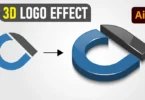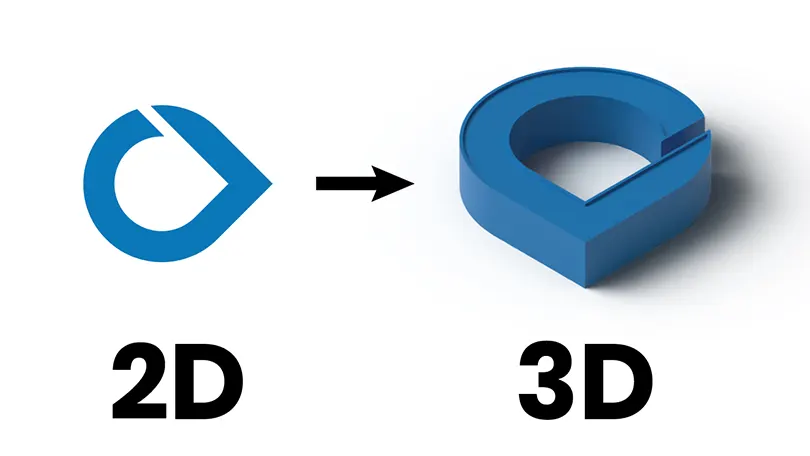
Are you looking to add depth and dimension to your logo designs? Converting a flat 2D icon into a 3D bevel logo is a great way to make your branding pop. In today’s tutorial, we are diving into Adobe Illustrator to explore the power of the 3D Extrude and Bevel tool. Whether you are a beginner or an experienced graphic designer, this guide will help you master isometric logo design.
Why Use 3D Effects in Logo Design?
3D logos are trending in the tech, crypto, and modern startup sectors. They communicate stability, innovation, and perspective. By using vector-based 3D tools in Illustrator, you ensure your design remains scalable and sharp at any resolution, unlike raster 3D software.
Step-by-Step Guide Summary
- Drafting the Shape: Start with a clean, flat vector path. Use the Pen Tool or Pathfinder to create your base letter or symbol.
- The 3D Tool: Navigate to Effect > 3D and Materials > Extrude & Bevel.
- Depth and Angles: Set your extrusion depth and choose an “Isometric Top” or “Off-Axis” rotation for the best look.
- Lighting: Adjust the ambient light and shadows to create that soft, professional matte look shown in the video.
- Expand Appearance: Once satisfied, expand the shape to convert the 3D effect into editable vector paths.
Download Source Files
Practice makes perfect! Download the working files for this tutorial to follow along or inspect how the layers are constructed.
Conclusion:
If you enjoyed this tutorial, check out our other Adobe Illustrator tutorials on CreativeAlys. Don’t forget to subscribe to our YouTube channel for weekly design inspiration.
Credits:
Design by CreativeAlys – Don’t forget to share your creations with #CreativeAlys!
You May Like
Free Famous Cartoon Characters Vector Pack (Black & White)
Graphic design relies heavily on character illustration. Whether you are practicing your vector tracing skills, creating personal fan art, or...
Suggested Pro Downloads
-

Man Working on Laptop – Flat Vector Illustration
$5.99 Add to cart -
Jeans Wrinkled PSD Logo Mockup
$2.99 Add to cart -
Sale!
Premium Elegant Fashion Boutique Logo Kit (3 Versions Included)
Price range: $19.00 through $75.00 Select options This product has multiple variants. The options may be chosen on the product page -
Corporate Business Card & Stationery Design Template
$5.99 Add to cart