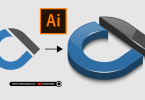
A 3D logo grabs all attention as it looks very beautiful and creative. Here is a great method for how to make a 3D logo in Adobe Illustrator. By using simple Illustrator tools like Blend, you can create astonishing 3D logos for your clients or your brand. So don’t miss this full step-by-step easy Illustrator tutorial.
You can also download the source file for free in vector AI and EPS format for your practice. Grab this freebie now and feel free to use and share it.
Check out our graphic design freebies section for absolutely free access to valuable design assets that you can use and share in your projects. Browse our premium downloads if you’re looking for even more great and professional resources to enhance your work.
We have many fascinating videos and expert tips coming your way, so don’t miss out on any of the great content by visiting our YouTube Channel. Subscribe now and join our community of passionate learners and creators!
Credits:
Design by CreativeAlys – Don’t forget to share your creations with #CreativeAlys!
You May Like
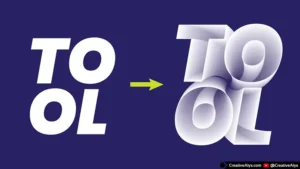
Create Stunning 3D Interlocking Text in Adobe Illustrator (2-Minute Tutorial)
Are you looking for a unique 3D text effect? Adding 3D elements to your text is one of the best...
Suggested Pro Downloads
-

Businessman Making Phone Call Illustration
$1.49 Add to cart -
Corporate Business Card & Stationery Design Template
$5.99 Add to cart -
Sale!
Premium Gold Embossed Logo Mockup on Black Paper
Original price was: $10.00.$7.99Current price is: $7.99. Add to cart -
Silver Embossed Card Logo Mockup
$7.99 Add to cart